The WRAPROWS guide
=WRAPROWS(A2:A19, 3) cuts a single column into rows of three and spills them into a table: name, department, city, one person per row. Change a cell in the list and the table follows. WRAPROWS is in Excel for Microsoft 365, Excel for the web and Excel 2024.
The syntax
=WRAPROWS(vector, wrap_count, [pad_with])- vector: one column or one row, like A2:A19. A range two columns wide gives #VALUE!.
- wrap_count: how many items go in each row. Three fields per record, so 3.
- pad_with: what fills the last row when the list doesn't divide evenly. Left out, it's #N/A.
How it works
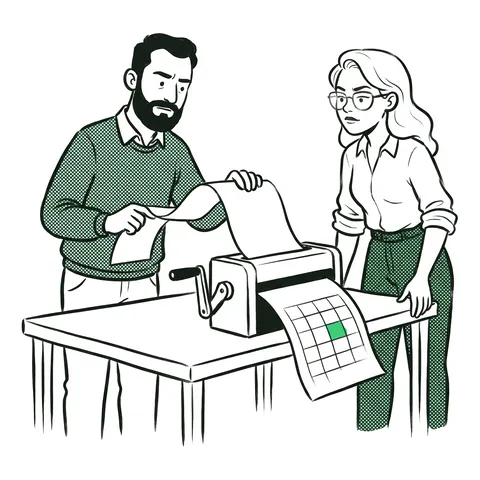
Exports and copied web pages often come out as one long column where every few cells belong together. WRAPROWS takes the first three cells as row 1, the next three as row 2, and so on: 18 cells make 6 rows of 3. Write it in the top-left cell of the table and the rest spills in. The source stays where it is, so the table is a live view of it.
If you need fixed values, for example to delete the original column, copy the table and paste values over it first.
Common mistakes
- Cells in the way. A row typed in by hand, or anything else in the spill area, gives #SPILL!. Clear the cells the table needs.
- The title in the range. Starting at A1 when A1 is a title shifts every value one place, so departments land under Name.
- The wrong wrap_count. It's the number of fields per record, not the number of records.
- A range that stops early. The last row comes out short and padded with #N/A, or people go missing.
- WRAPCOLS instead. WRAPCOLS fills down first, so one record ends up in a column.
Which versions have WRAPROWS?
Excel for Microsoft 365, Excel for the web and Excel 2024. Excel 2021 and older show #NAME?. There, =INDEX($A$2:$A$19, (ROW()-2)*3 + COLUMN()-2) in C2, filled across to E and down, does the same job with fixed positions. For a list that needs sorting or deduplicating first, see SORT and UNIQUE.
FAQ
- How do I convert one column into multiple columns in Excel?
- In Microsoft 365, Excel for the web or Excel 2024, use =WRAPROWS(range, n): it puts every n cells of the column on one row. =WRAPROWS(A2:A19,3) makes 6 rows of 3.
- Why does WRAPROWS show #N/A?
- The list doesn't divide evenly by wrap_count, so the last row is short. Fix the range, or give a third argument to fill the gaps: =WRAPROWS(A2:A19,3,"").
- What is the difference between WRAPROWS and WRAPCOLS?
- WRAPROWS fills across, row by row: one record per row. WRAPCOLS fills down, column by column.
- Why does WRAPROWS show #SPILL!?
- A cell in the area the table needs isn't empty. Clear it and the table fills in.